Metronome · Practice · Ear training
A metronome that runs the practice session, not just the beat.
Set the tempo and DrumTick keeps it. Tell it to climb 5 BPM every eight bars, to go silent for two bars so you have to hold the pulse yourself, or to stop after twenty minutes — then put the phone down and play.
The metronome
Everything on one screen, nothing buried
The main screen is a clock face, not a document. It never scrolls, so the play button and the time signature cannot drift away mid-session.
Dial and tap tempo
Turn the ring, or tap the middle in time with what you hear. 10 to 400 BPM.
Time signatures and subdivisions
Simple, compound and odd meters, with straight, triplet, sixteenth, sextuplet and swing subdivisions.
Per-beat accent levels
Every beat can be marcato, accented, normal, ghosted or muted. Tap the dots to set them.
Tempo that moves on its own
Step the tempo up or down every few bars or every few seconds, with an optional ceiling. It can announce the next tempo out loud so you never look down.
Mute cycles
Go silent for a set number of bars, then come back. The gap is where timing actually gets built — you find out whether you kept the pulse or drifted.
Count-in and limits
A count-in before the first beat, and a counter that stops the session after a number of bars or a length of time.
Practice
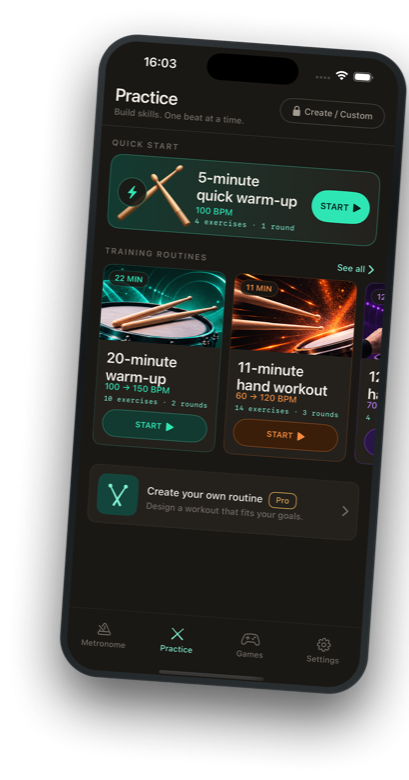
Guided routines, not just a click
Each routine is a sequence of exercises with its own tempo, sticking, stroke type and duration. DrumTick moves through them and counts you in, so a warm-up runs itself.


Games
Two ways to test the pulse you built
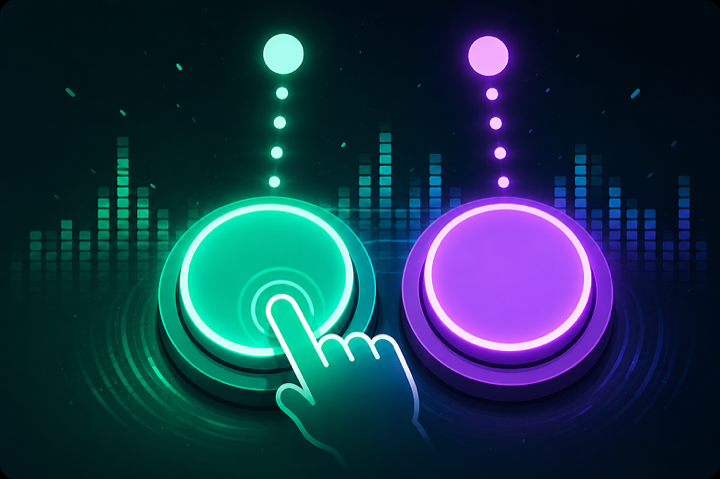
Play it back on the grid
The machine plays a bar, you get a bar to get ready, then you play it back — and the count never stops. Trains putting your hands on the beat of a pulse already running.

Play it back from memory
Two birds peck out a pattern, then stop dead. No click to lean on. Trains remembering and reproducing the shape of a rhythm.
DrumTick Pro
What the free version does, and what Pro adds
The free version is a complete metronome. Every built-in routine runs, both games are open, and nothing is time-limited.
The whole metronome
Tempo, meter, subdivisions, accents, Automator, Tracker, 3 sound sets, 3 saved presets, every built-in routine, both games.
All 14 sound sets
Including Voice Count, which speaks the beat numbers out loud so you never lose your place mid-bar.
Unlimited presets
Save as many setups as you want and switch between them anytime.
Custom routines
Build your own practice sessions step by step: tempo, sticking, stroke technique and duration.
Pro is an auto-renewing subscription, available monthly, quarterly or yearly. Prices are shown in your local currency inside the app before you confirm anything. See the Terms of Use for renewal and cancellation details.
Privacy
No account, no ads, no tracking
No account. No sign-in. No advertising and no ad identifiers. DrumTick sends anonymous crash reports and usage statistics (via Google Firebase) so we can fix bugs and see which features get used — never linked to you, never used to track you.
Your presets, routines, game records and settings stay on your device.
Download
DrumTick is on the App Store, for iPhone and iPad
Free to download. The free version is a complete metronome; Pro is optional.